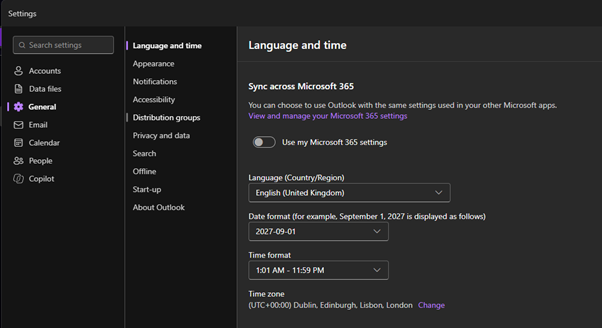
- Select Settings
 ; this should be in the top right-hand corner

- Click General, then Language and time, then select the correct time zone and date format
Was this article helpful?
That’s Great!
Thank you for your feedback
Sorry! We couldn't be helpful
Thank you for your feedback
Feedback sent
We appreciate your effort and will try to fix the article