This guide will talk you through the process of registering your card with the photocopiers. Once the card is registered you will only need the card.
Before starting, make sure you have:
- Your staff ID card
- Access to a Canon photocopier connected to uniFLOW Online
- Your uniFLOW Online PIN or Card Registration Code (This is a 6 digit pin that will have been emailed to you)
Step 1 – Go to the photocopier
you should find the following screen on the printers around the site, and tap your ID card like you normally would.
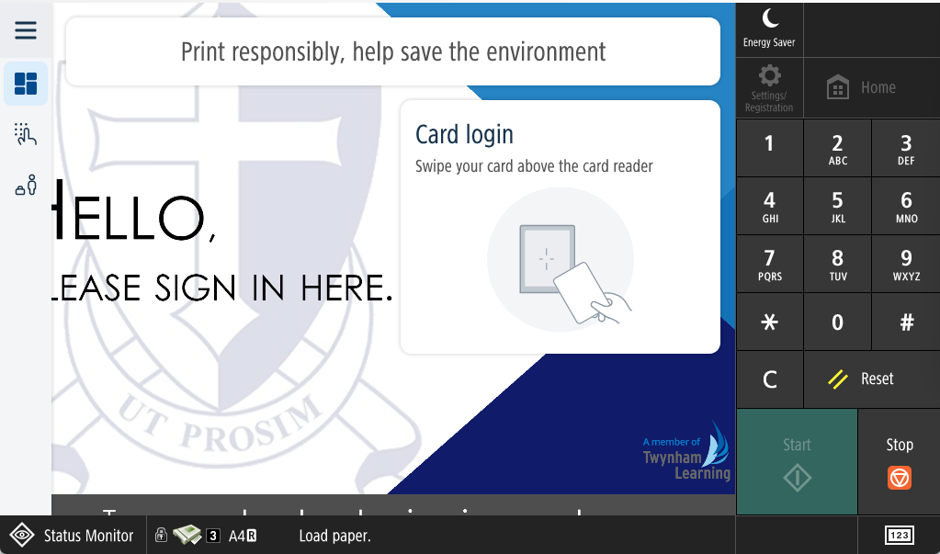
If the screen is off, just tap it and it should wake up (If not contact us)
Step 2 – Registering your card
The screen should change to the following, Using the keypad enter your 6-Digit code.
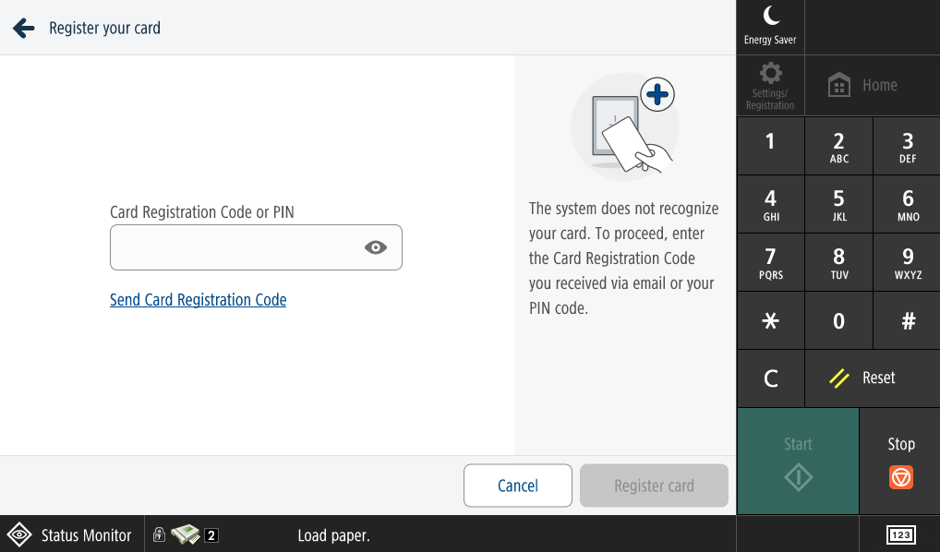
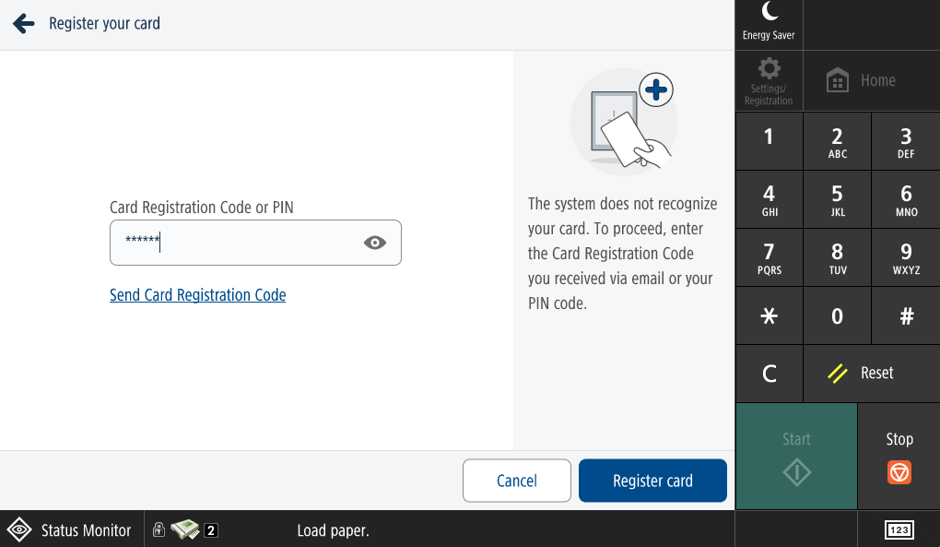
Once filled in tap Register Card
It will then request you scan your card once more.
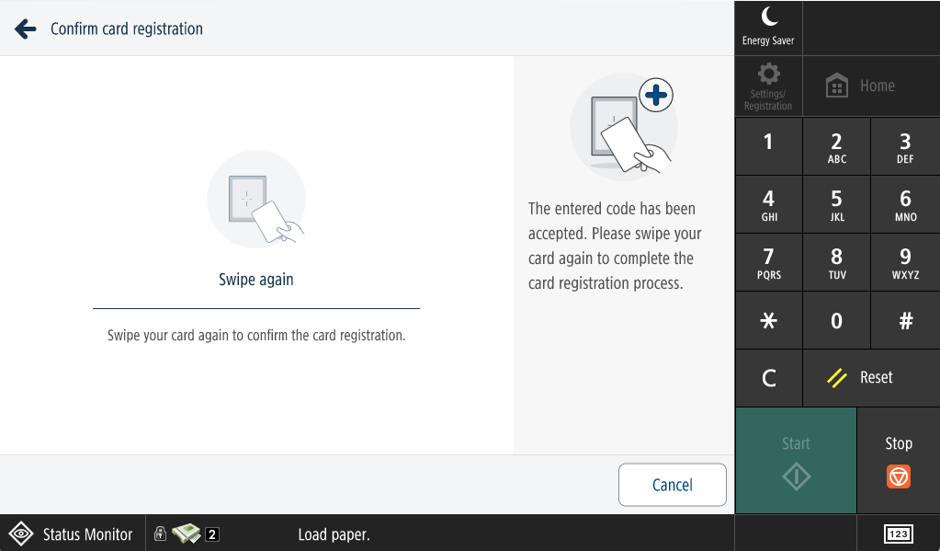
Your card is now registered and will return you to the original login screen
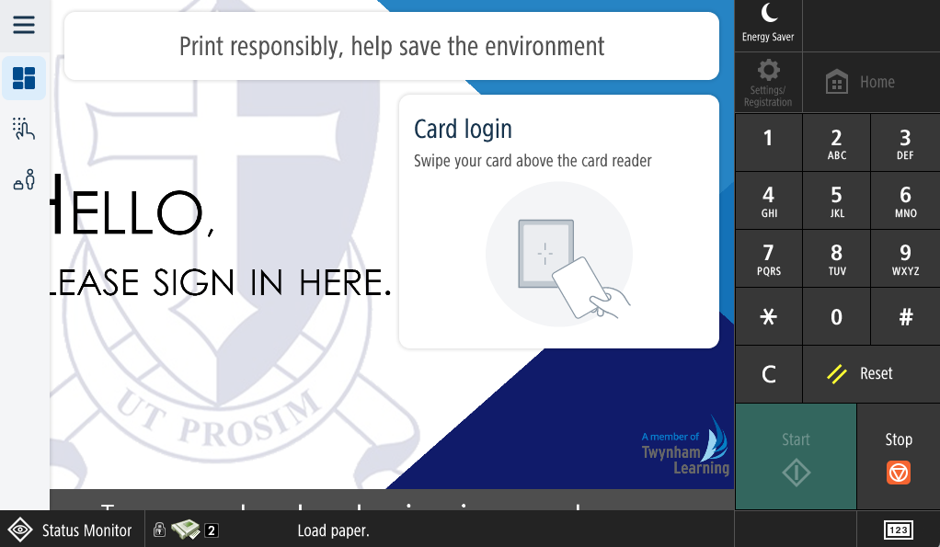
Tap your card again to be able to access your print queue and other printer features.
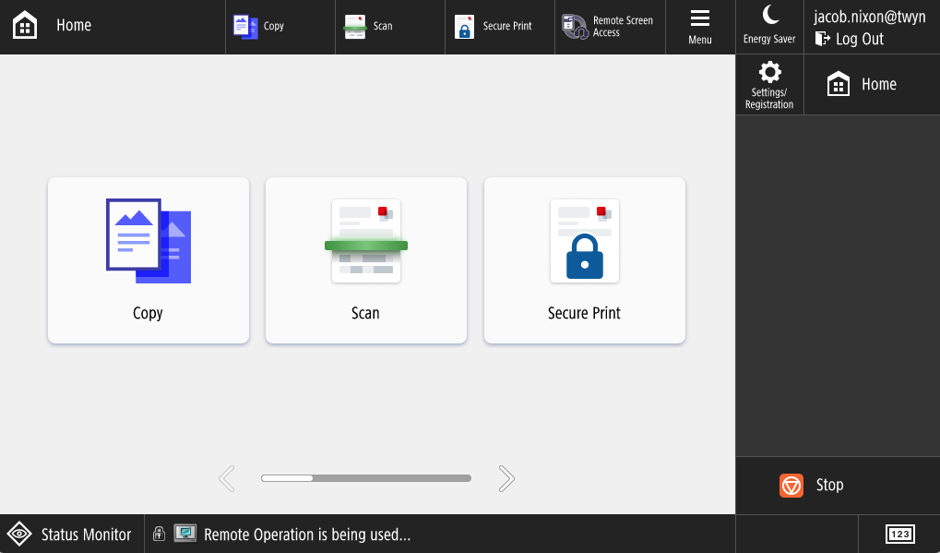
You will only have to do this once, from now on you can use the printers like normal, If you have any issues with this please contact us and we can.
Was this article helpful?
That’s Great!
Thank you for your feedback
Sorry! We couldn't be helpful
Thank you for your feedback
Feedback sent
We appreciate your effort and will try to fix the article